


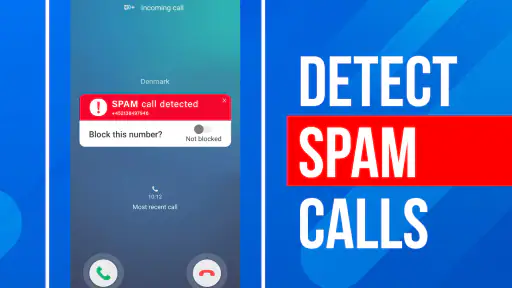
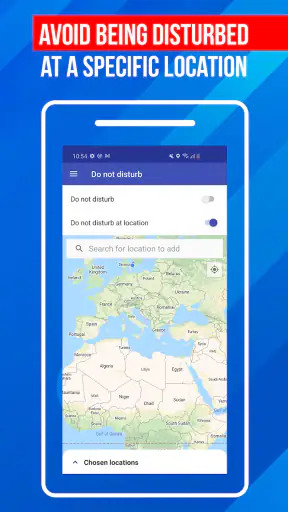
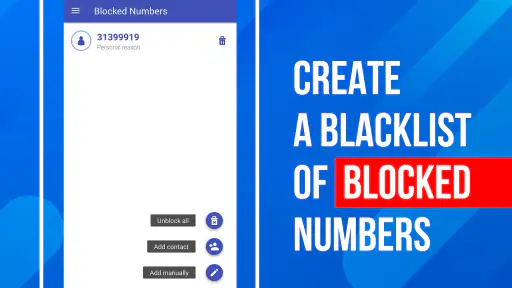
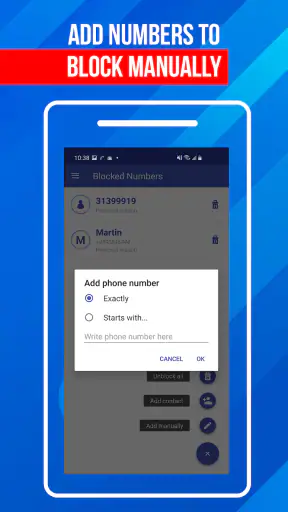
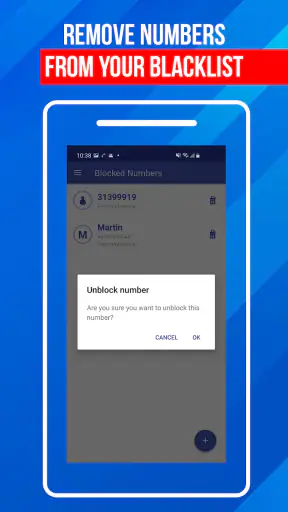
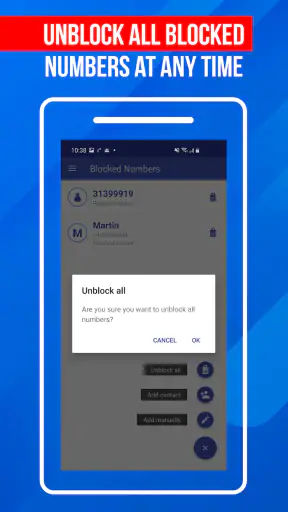
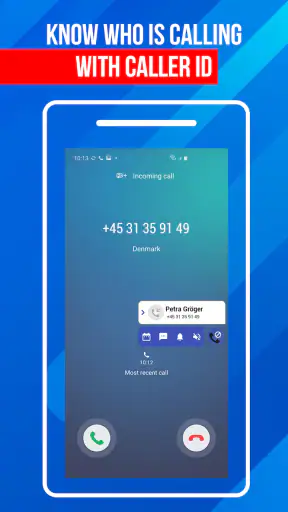
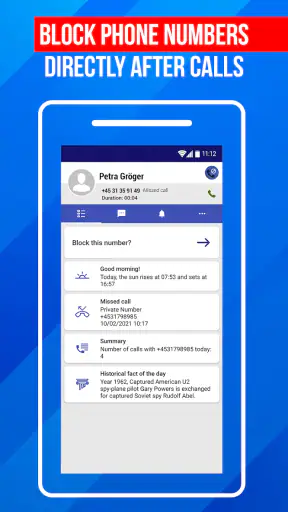
Unknown calls are rarely dangerous every time, but they are disruptive enough to become a daily nuisance. I tested Call Block: Filter and Blocker with that ordinary problem in mind: a phone shared around a household, where one person may be expecting a delivery, another may be tired of robocalls, and everyone needs to understand what happens when a number is stopped. My overall impression is that this is a focused communication app rather than a complete phone-management suite. It concentrates on identifying unfamiliar callers, blocking spam and fraud attempts, and dealing with numbers after a call has arrived.
That narrow purpose is its main strength. The app does not ask me to reorganize my contacts, replace every messaging tool, or learn a complicated communication dashboard. It is free to install, rated for Everyone, and developed by Appsbuyout. With a 4.2 average from around 22 thousand ratings and more than 5 million installs, it has clearly found an audience among people who want a practical barrier between their phone and unwanted calls. The important question is not whether it blocks everything, because no caller filter can promise that, but whether its approach fits the way your household handles incoming calls.
How it works when several people share responsibility for one phone
The most useful household scenario is a shared device rather than a formal family account. Imagine a phone kept in a kitchen or used by a parent who also receives calls for an older relative. One person knows which numbers matter, while another is the one who answers most often. In that situation, a call-blocking app can reduce interruptions, but only if the people using the device agree on how to treat unknown numbers.
I would begin by treating the app as a screening layer, not as an automatic judge. A blocked call may genuinely be unwanted, but an unfamiliar number can also belong to a school, clinic, courier, landlord, or new workplace. The store summary points to identification of unknown callers and blocking of spam, fraud, robocalls, and numbers after calls. That makes the app especially useful for reducing repetitive nuisance traffic, while still leaving a reason to review unfamiliar calls before assuming they are harmful.
For a household, the key benefit is consistency. Without a shared approach, one person may block a number that another person was waiting for, or repeatedly answer the same robocall because nobody remembers what happened earlier. I found the app more useful when the household decided in advance that important contacts should be saved and that suspicious calls should not be returned immediately. That simple rule matters as much as the filter itself.
A realistic example is a parent who receives several calls during working hours while a teenager occasionally uses the same phone. The parent may want unknown callers identified or blocked, while the teenager may be expecting a call from a new activity group. The sensible compromise is to save expected contacts first, then use the app to reduce obvious nuisance calls without pretending that every unsaved number is dangerous. This is where human coordination protects against the app being used too aggressively.
Starting with a deliberate setup instead of blocking everything
Installation is only the beginning. The current version is 2.10.0.2281 and requires at least iOS or Android 10, so compatibility should be checked before planning to use it on an older household phone. Once installed, I would set it up while the main user is present, because call filtering affects everyone who relies on that device. A few minutes spent discussing expectations can prevent a much more frustrating conversation after a wanted call disappears from normal attention.
The first boundary I recommend is a clear distinction between known contacts, expected callers, and genuinely suspicious traffic. Add regular contacts before testing the blocking behavior. If a household is waiting for a call from a service that may use different numbers, write down the expected organization and agree that an unidentified call from it should be checked rather than instantly dismissed. The app can help with identification, but it cannot know the personal context behind every call.
The second boundary concerns review habits. After an unfamiliar call, do not rely only on the label shown by a caller-identification tool. Look for a voicemail, check whether the caller is connected to an appointment or delivery, and use an official number when returning a call. This is particularly important with fraud attempts, because a familiar-looking label is not proof that the caller is genuine. Call filtering is a risk-reduction tool, not a substitute for verifying identity.
There is also a practical trade-off in using any app that intervenes in calls: the more aggressively it filters, the less likely nuisance calls are to reach you, but the greater the chance that an unusual legitimate caller will be missed. I would favor a cautious setup for a household that depends on medical, school, repair, or delivery calls. A more assertive approach makes sense for a secondary phone that receives mostly personal calls and has little need for unknown numbers.
What to coordinate before another person uses the phone
Call Block: Filter and Blocker works best when one person is not silently changing the rules for everyone else. On a shared phone, agree on who can decide that a number should stay blocked and who should review a false positive. This is not a criticism of the app; it is a reminder that blocking is a household decision when the device is shared.
I also recommend keeping a small offline note of important organizations and contacts. If a call is blocked or classified as unwanted, the note gives the user a safe way to find the official number without calling back through a suspicious message. This workflow is more reliable than asking a child or an older family member to interpret every caller label alone. The app reduces noise, while the household supplies the context.
Another useful habit is to review recent call handling together after a few days. Look for patterns rather than isolated incidents. If the same unwanted caller keeps appearing through changing numbers, the household may need to stop answering and report the behavior through the appropriate phone or carrier tools as well. If a legitimate organization repeatedly appears as unknown, save the confirmed contact and treat future calls more confidently.
This coordination also clarifies what the app is not. It is not a shared family inbox, a parental dashboard, or a replacement for conversation about phone safety. I would not hand a child the phone and assume the filter removes the need for supervision. Likewise, I would not expect it to manage separate preferences for multiple users on one device. Its role is more straightforward: help the current phone user identify and block unwanted callers.
Age, trust, and the limits of automatic confidence
The Everyone age rating makes the app approachable for a broad audience, but age suitability is not the same as independent decision-making. A younger user may understand that spam is annoying without recognizing that a caller can pretend to represent a bank, delivery company, or public service. An older user may appreciate fewer interruptions but feel uncertain when a call is labeled or stopped. In both cases, the household should explain what the app does before relying on it.
For an older relative, I would emphasize one rule: never share a password, verification code, payment detail, or remote-access permission during an unexpected call. The app may help reduce the number of suspicious calls that get through, but the safest response to a convincing request is still to end the call and contact the organization through a trusted route. The application supports that habit; it does not replace it.
For a child or teenager, the concern is different. They may block a number because it is unfamiliar without realizing that a coach, tutor, or new friend could call from a number not yet saved. Before enabling stronger filtering on a shared device, explain how to recognize expected callers and when to ask an adult. If the phone is primarily theirs, the decision should be based on their real calling pattern rather than on the hope that every unknown call is unwanted.
Trust also matters between household members. A person may worry that call blocking hides who tried to reach them, while another may see every unknown call as a threat. I prefer transparent use: tell the main users that the app is installed, explain that it may identify or block calls, and agree on how to recover from a mistake. That approach avoids turning a useful safety measure into a source of suspicion.
Where it is stronger than ordinary phone tools
The usual alternative is the phone’s built-in blocking function. That option is often enough when one known number keeps calling, but it usually requires the user to identify and block each nuisance number manually. Call Block: Filter and Blocker is more appealing when the problem begins before the caller becomes familiar, especially with repeated spam, fraud attempts, and robocalls from numbers the user does not recognize.
Another alternative is simply ignoring unknown calls. That costs nothing and avoids false blocking, but it also leaves the user guessing about whether an unanswered call mattered. Identification can add useful context before deciding what to do. In my view, this is the app’s most practical advantage over passive ignoring: it helps turn an interruption into a decision.
Carrier-level spam protection may be preferable for someone who wants filtering handled outside an additional app. A carrier service can be more deeply integrated with the phone connection, depending on the provider and region, while this app may be more convenient for a user who wants a dedicated call-blocking tool. I would compare the two rather than automatically running every available filter, because overlapping systems can make it harder to understand why a call was stopped.
The app is also a better fit than a full communications suite for someone who wants one narrow job done. It does not need to become the center of the household’s messaging life. On the other hand, users who want call recording, advanced contact management, family reporting, or a unified inbox should look elsewhere. Those needs go beyond the focused purpose of this application.
Costs, expectations, and everyday friction
The app is free, with optional in-app purchases ranging from less than a dollar to around fifteen dollars per item. That makes it easy to try without committing money immediately, but I would still check which functions require payment before building a household routine around them. A free installation does not necessarily mean every useful capability is included at no cost, and different users may value identification, blocking, or additional tools differently.
There is also the ordinary friction of granting a communication app the access it needs to handle calls. I would read each system prompt instead of tapping through quickly, especially on a shared device. Every household should know which phone functions are being affected and how to disable the app temporarily if an important caller is being missed. That is a basic troubleshooting step worth agreeing on before an urgent call happens.
False positives are the limitation I would take most seriously. A caller may be unfamiliar because the person changed jobs, moved, switched providers, or is calling from an office line. A household that receives many first-time calls should use the app conservatively and keep voicemail or another way of checking messages available. A household that receives almost no legitimate unknown calls can reasonably prioritize stronger nuisance reduction.
Another limitation is that determined scammers can change numbers or disguise their identity. Blocking one number does not end a campaign that uses many numbers. The app can reduce exposure and make repeated nuisance calls less disruptive, but it should be paired with sensible behavior: do not confirm personal details, do not follow urgent payment instructions, and verify through an independent contact method.
Who should use it and who should skip it
I would recommend Call Block: Filter and Blocker to people whose main phone problem is a steady stream of unfamiliar nuisance calls. It is particularly sensible for a shared household phone where reducing interruptions matters, provided that the users agree on contact-saving and review habits. It can also suit someone who wants more context than the standard phone dialer provides before deciding whether to answer.
I would be more cautious about recommending it to someone who depends on frequent calls from new clients, rotating service providers, medical offices, or temporary workplaces. For that user, aggressive blocking may create more work than it saves. A built-in phone filter used lightly, combined with careful contact management, may be the better choice.
I would also skip it if the real goal is family supervision or account separation. The app is not a substitute for separate user profiles, household rules, or a conversation about who may answer calls. It can support those arrangements, but it does not create them. Likewise, users who rarely receive unwanted calls may gain little from adding another layer to their phone.
One practical tip is to test the app during a calm period rather than immediately before travel, a medical appointment, or a delivery window. Save important numbers, tell other users what to expect, and keep an alternative way to contact trusted organizations. This small preparation makes it easier to judge whether the filtering is helping without risking a time-sensitive call.
My household verdict after using its focused approach
Call Block: Filter and Blocker earns its place as a straightforward communication utility because it addresses a specific irritation without pretending to solve every phone problem. Its value is clearest when unknown callers are frequent, the phone is shared, and the household is willing to make a few sensible decisions around contacts and verification. The app’s 4.2 average and broad install base suggest that many users find that focused role worthwhile, and my experience matches the appeal.
I would not describe it as a set-and-forget shield. The best results come from keeping expected contacts current, reviewing unusual calls safely, and accepting that some legitimate callers will not fit a simple pattern. The free entry point makes trying it reasonable, while the optional purchases mean I would inspect the available choices before paying for anything.
For a family or shared-device setting, my recommendation is positive with one condition: install it openly, explain its boundaries, and choose a filtering level that matches the phone’s real calling needs. If your priority is fewer robocalls and a clearer way to handle suspicious numbers, this app is worth testing. If your priority is detailed family controls, separate accounts, or advanced call administration, a different kind of tool will serve you better.


